... / Effective Entrepreneur Support... / Using Cohort Forums for Collaboration
Effective Entrepreneur Support with CofounderOS from Make Startups Institute
6. Using Cohort Forums for Collaboration
Cohort Forums were built for E-Learning
CofounderOS was designed to make easy for your support organization to provide training and mentorship to thousands of startups with as little friction as possible. In previous modules, we've shown you how you can use to Cohort system to segment your startups into groups to help you manage them more effectively, but the Cohort platform also provides you with a suite of tools to collaborate with the startups in your ecosystem.
Effective Cohort Forums
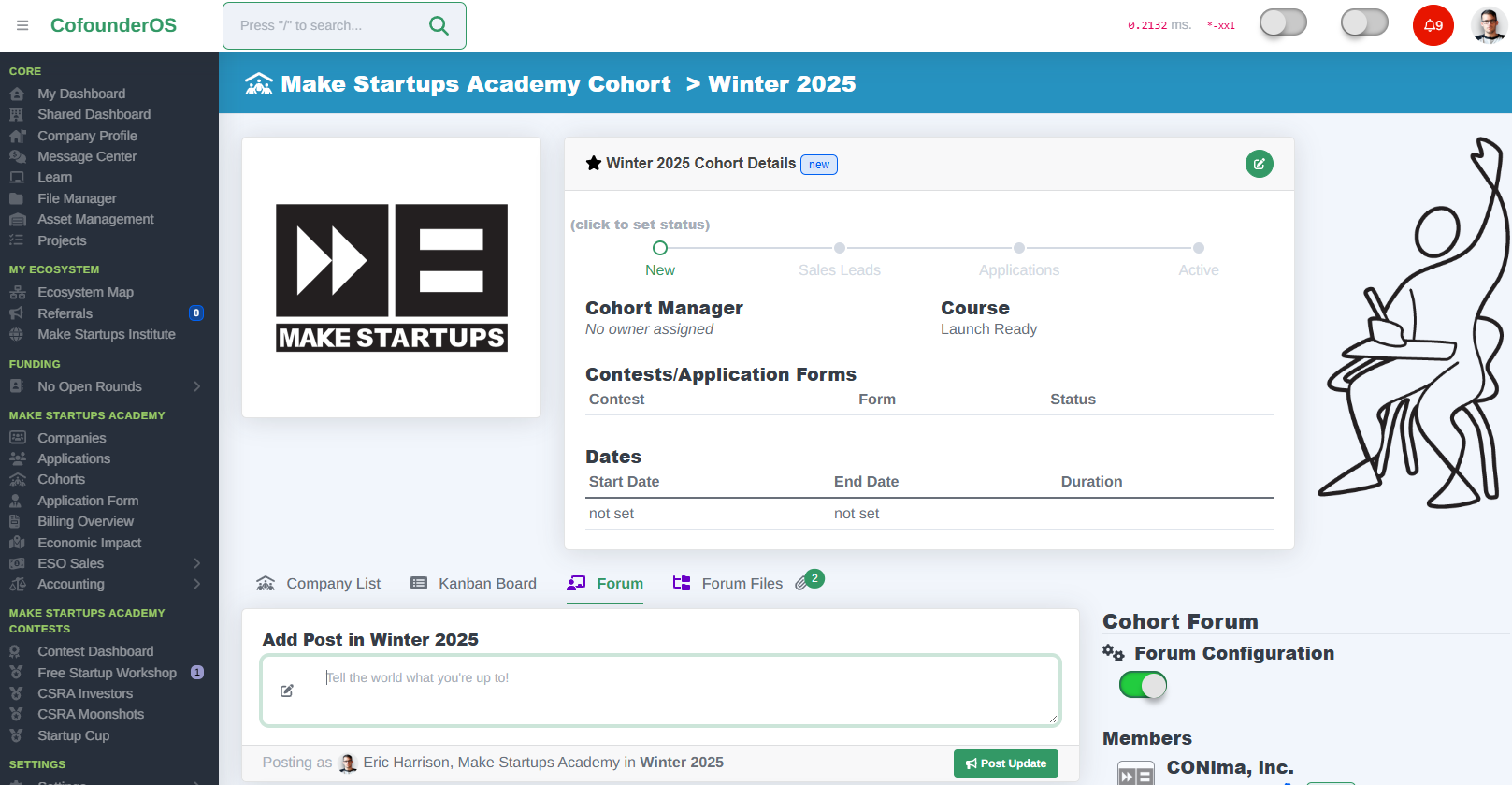
Every Cohort inside CofounderOS can be converted into a Cohort Forum with the push of a button. In the Cohort Editing interface, you can put a checkmark in the Cohort Forum section to turn on Forum Mode, or you can click on the Forum tab on that page and click the "Enable Forums" toggle.
Feeds and Files
Each Cohort Forum comes with two primary tools you'll use to engage with the startups that you've added to that Cohort: the cohort feed and cohort files.
Using the Feed
The Cohort Feed is a post-based messaging system built directly into the Cohort page where you can post public notices to the startups in your Cohort and they can reply directly back to those messages. All messages you post into the Cohort feed are visible to everyone in the Cohort, so the best way to think of using this feed is to post homework assignments for everyone, links to resources for your class, or have the members of the Cohort engage in group discussions.
Files
The Cohort Files system is available on the tab directly next to the Forum, and allows you to upload files for everyone in the Cohort to view and download. Cohort Files also allows you to upload files directly for specific startups and have those files be visible only to the people on your team or to the members of the startup you have selected.
Companies in your Cohort can also upload files into the Cohort and mark those as publicly viewable to all Cohort members, or mark it as private and only visible to your ESO team.
What does the startup see?
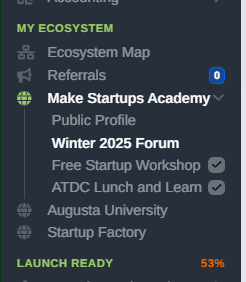
When you add a startup to a Cohort Forum, they'll unlock access to the Forum link directly in the Ecosystem menu inside the main menu. From there, when they click on that link, they'll see a stripped-down version of the forum page and only get access to the Forum and Files tabs inside that Cohort.
They'll be able to post in the feed and upload files as your mentorship program begins.
Removing Access
If you want to remove a startup from being able to see your Forum, but don't want to remove them from the Cohort for whatever reason, you can mark their status in that Cohort as closed. Once they are marked as closed, they will lose access and be unable to view the Cohort Forum or any messages or files that exist inside that Forum.
In this module, we'll show off how you can use the Cohort Forum system to unify your ecosystem support and training efforts and collaborate with your startup founders inside CofounderOS.
| Category | Effective Entrepreneur Support with CofounderOS |
| Curriculum | all |
| Created | 2025/10/06 |
| Last Updated | 2025/10/06 |
| Content Details | |
| IMI Provider | CofounderOS |
| Published | Make Startups Institute |

|
|
Make Startups Institute is using CofounderOS to help founders design, launch, and scale their businesses.
Financial aid and scholarship packages are available for most programs.