... / Effective Entrepreneur Support... / Managing Pitch Contests
Effective Entrepreneur Support with CofounderOS from Make Startups Institute
5. Managing Pitch Contests
Providing Meaningful Feedback in Your Contest
If you have ever applied for a grant or pitch competition, you know the feeling.
You invest hours into your application. Then you receive a short email that says you were not selected, with no meaningful feedback.
That experience is discouraging for founders and frustrating for program teams who genuinely want to help.
CofounderOS was built to solve that problem.
From the beginning, our goal has been simple: Every founder deserves structured, actionable feedback, whether they are accepted or not.
With the right settings, you can:
- Share thoughtful feedback with every applicant
- Provide AI-powered suggestions tailored to their business
- Protect internal scoring and judge notes
- Maintain a professional, secure review process
In this module, you will learn how to manage your Contest settings so you can confidently control what gets shared and what remains private.
Feedback builds better founders. Silence builds frustration.
Understanding Contest Review Visibility
In every Contest, you control what applicants can see.
Navigate to:
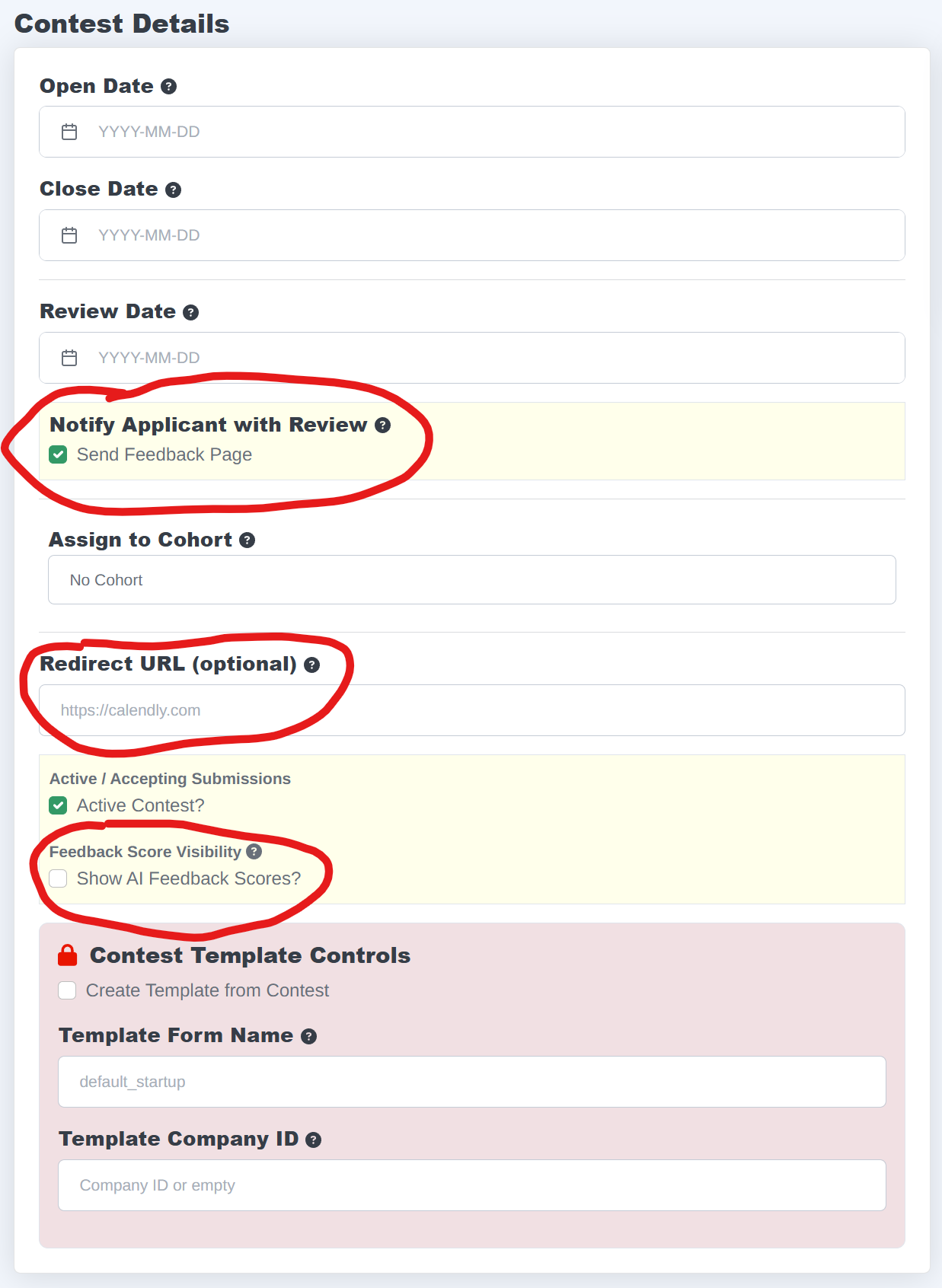
Edit This Contest → Contest Details
Here you decide whether applicants:
- Receive a notification of their review with Feedback Page
- Are redirected to another webpage or calendar link after applying
- Are allowed to view AI scores in addition to their feedback
Internal judge notes remain private unless explicitly enabled.
Key Principle: Applicants only see what you allow in these settings.
Reviewing Applications
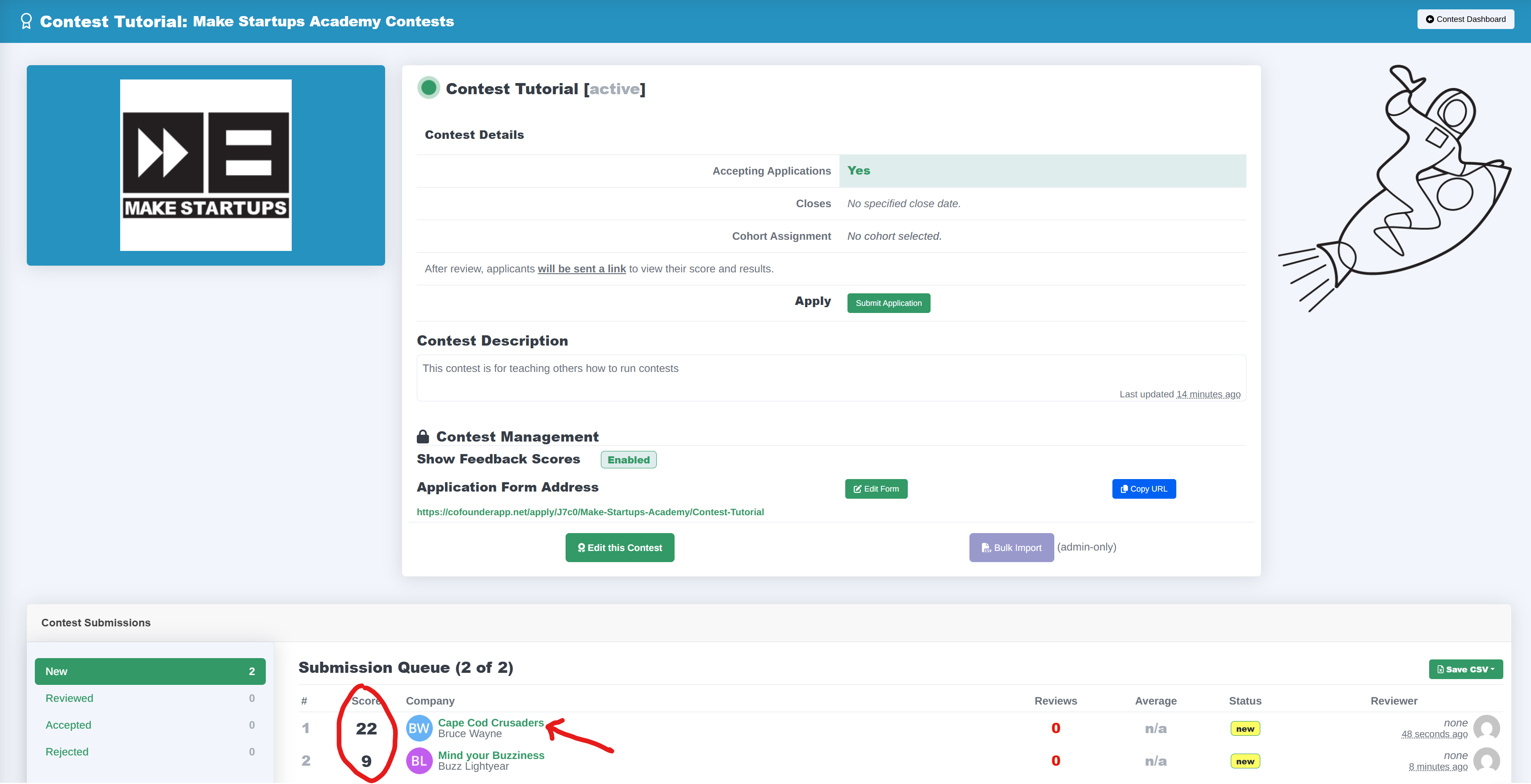
When your ready to review applications, send your judges to the content page. Once there, the application queue will be ordered from highest to lowest AI Score. By clicking on the company name, you will be taken to the page where you can review that application, accept or reject it, and send an email to the applicant. (if contest notifications have been turned on)
Need to Save Time: While we recommend taking the time to review every application, depending on your application volume, you may set a minimum scoring threshold for additional review by yourself or your judges.
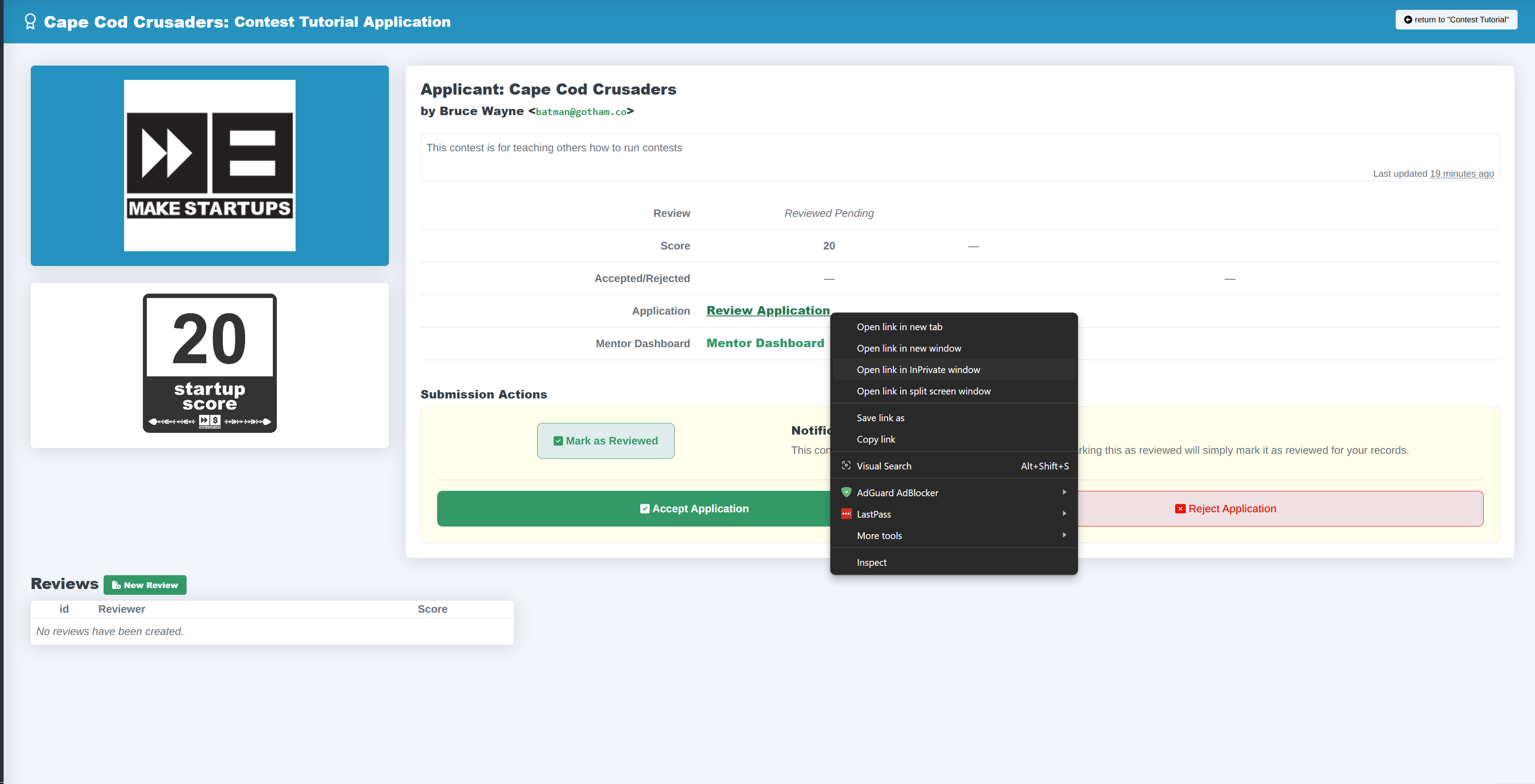
Once you're on the applicant page
- Review the application responses and AI feedback
- Create a new review to securely leave their own score and feedback
Easy Workflow: Right clicking to review the application in a new tab will let you write your own review with the applicaiton and AI feedback in a side by side window.
Managing Visibility of Reviews
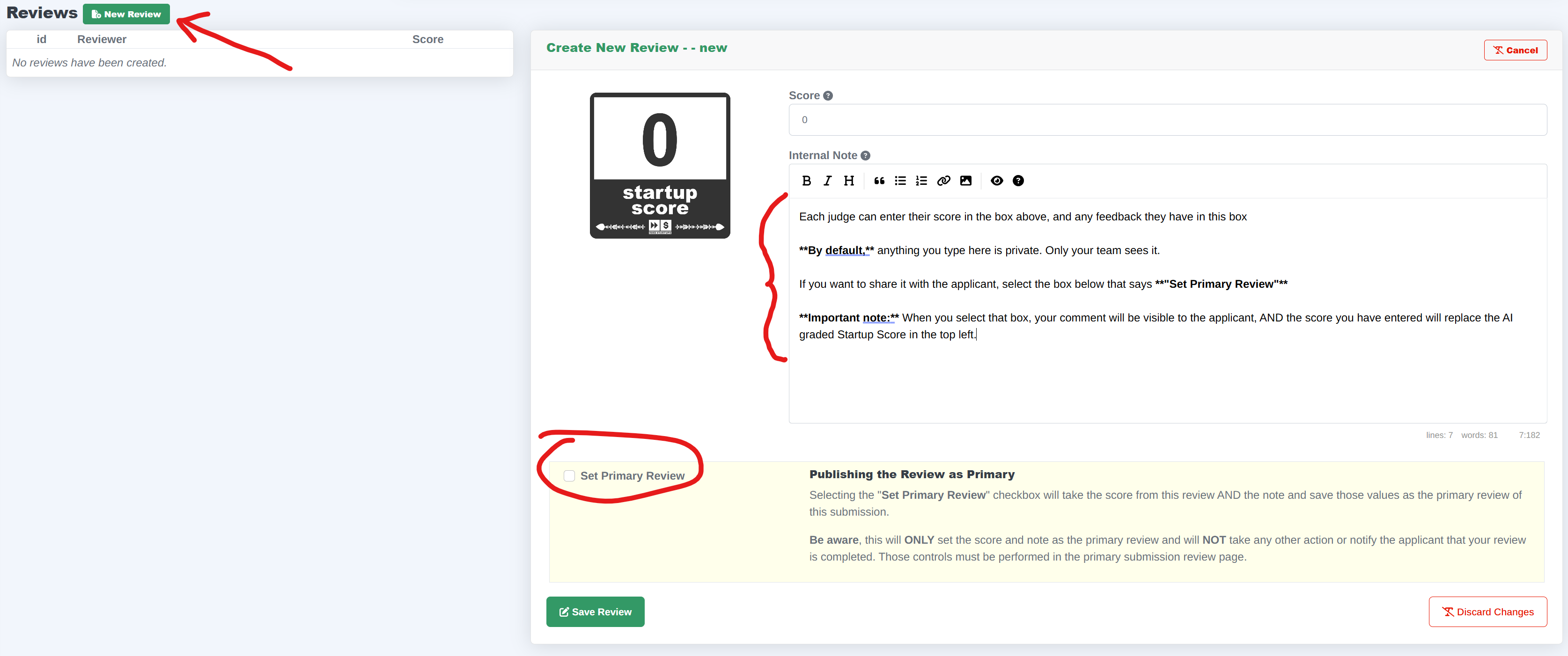
By default, anything you type for an internal review note is private. Only your team sees it.
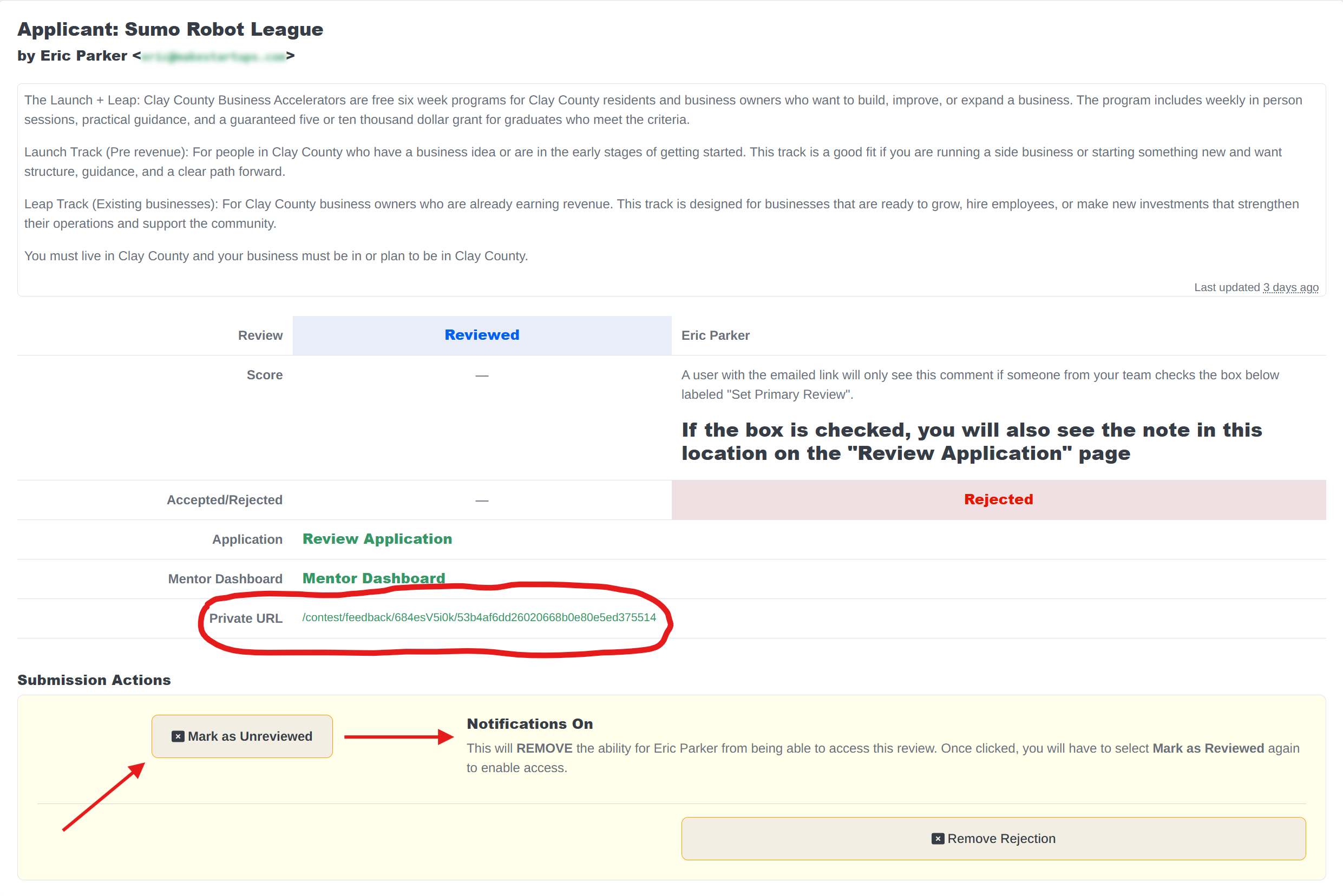
If you want to share it with the applicant, select the box below that says "Set Primary Review"
Important note: When you select that box, your comment will be visible to the applicant, AND the score you have entered will replace the AI graded Startup Score in the top left.
How “Reviewed and Notify” Works
When you click Mark Reviewed and Notify, CofounderOS:
- Locks in your current visibility settings
- Generates a secure, unique review link
- Sends a notification email to the applicant
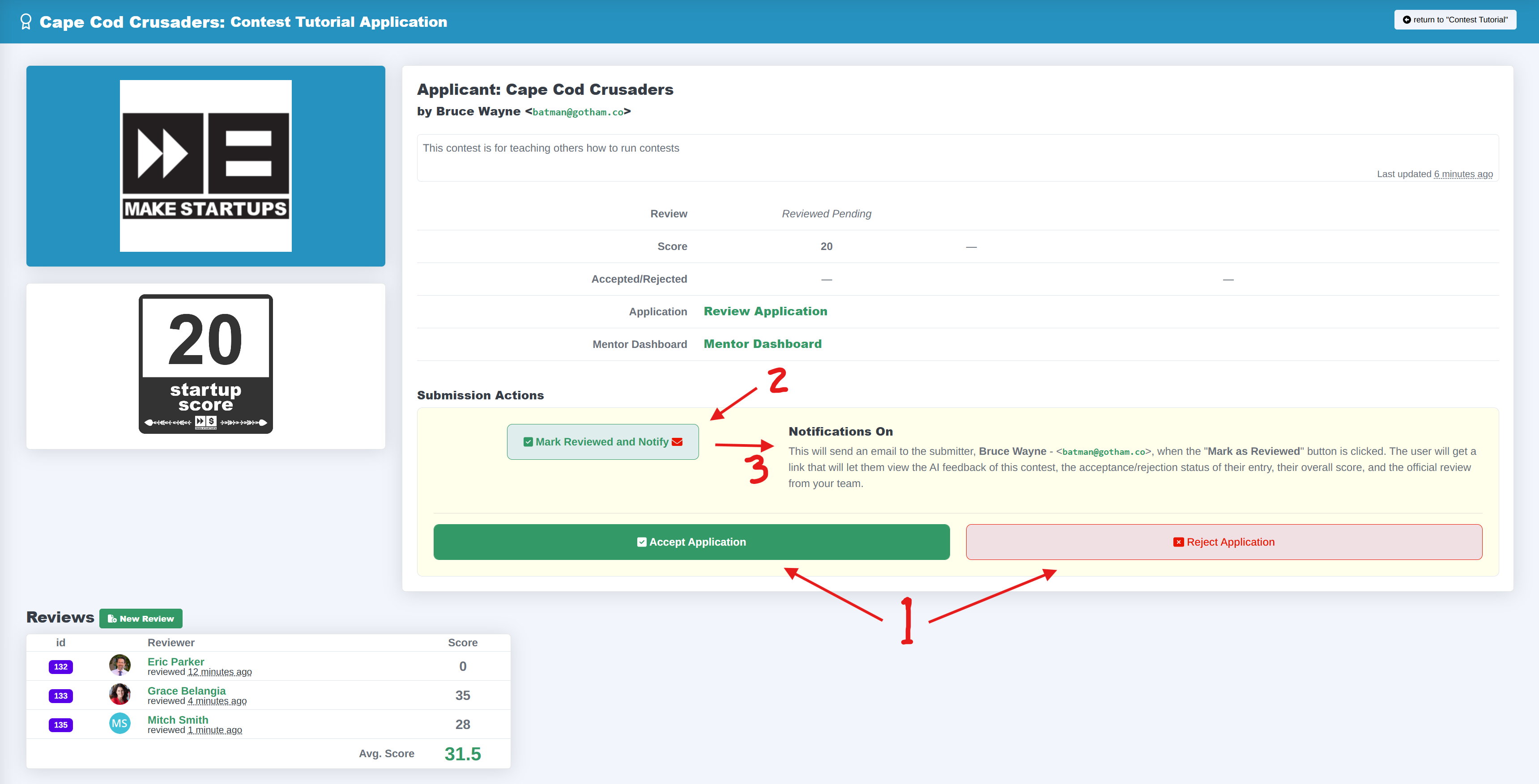
That secure link reflects the visibility settings at the moment you click the button.
Important: If you switch an application back to Unreviewed, the secure link is automatically deactivated. This protects internal information.
Pitch Contests are an effective way to reach new startups, and to engage investors and supporters in your community. While the previous module showed how to setup up application funnels, this module will help you take all the manual workload out of running a pitch contest, provide founders with automated in-depth feedback to help their business, and increase stakeholder engagement.
| Category | Effective Entrepreneur Support with CofounderOS |
| Curriculum | all |
| Created | 2025/10/06 |
| Last Updated | 2025/10/06 |
| Content Details | |
| IMI Provider | CofounderOS |
| Published | Make Startups Institute |

|
|
Make Startups Institute is using CofounderOS to help founders design, launch, and scale their businesses.
Financial aid and scholarship packages are available for most programs.